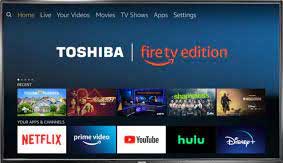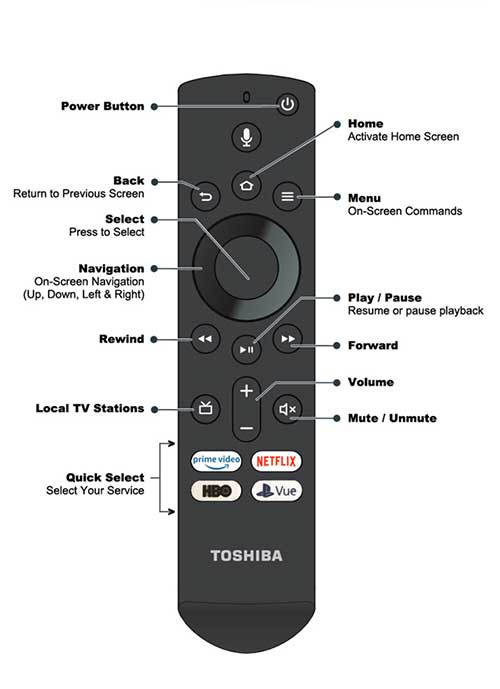







ACCESS CODES / INSTRUCTIONS: For your protection, we change the code after each guest checks out. The code has been sent to you via Airbnb Messenger. If you run into any issues with entering or exiting, please let us know. CHECK-IN: Self Check-in is anytime after 4:00 pm. Early check-ins are NEVER guaranteed. However, your host will try to accommodate special requests to the extent possible. CHECK-OUT: Check-out time is no later than 11:00 am. Late check-outs are NEVER guaranteed. However, your host will try to accommodate special requests to the extent possible. Your check-out list is very short. We just ask that you clean and put away any dishes or pans used, put trash in the bags provided, and lock the door when you leave. Please leave the beds, sheets, towels etc. where they are, and we'll take care of the rest. GETTING HERE: If travelling by car, your GPS should bring you directly to 466 Lakeshore Drive, Lexington, KY. We understand that some of you will be traveling without a car. In this case, The Corner Pocket is only 12.8 miles from the Bluegrass Airport, or about a $25 Lyft or Uber ride (at the time this manual was prepared, assuming no surges) PARKING: One Off-Street Parking space is provided in the back of the building. Please ONLY park in the space designated for “The Corner Pocket.” Additional On-Street parking in front of building. Feel free to pull into the driveway to unload your luggage, but please don’t park in driveway. This is a shared driveway. SMART TVs: There are 2 Smart TVs, one in the Living area off of the Billiard Room, and one in the Large Bedroom. (Please note that the TV in the smaller bedroom is NOT a Smart TV, and is only able to access local channels. See applicable instructions below.) Although cable is not included, from the Smart TVs, you can access your personal Netflix, Hulu, or Amazon accounts. However, be sure to remove your account prior to check-out. If you don't subscribe to any of these, you can access just about any channel for FREE on a trial basis. For Sports Fans, you can access the ESPN Channels for FREE for 7-days by signing up for a trial of "Hulu + Live TV (subject to change, of course.) Click here for the Smart TV Operating Instructions. CONVENTIONAL TV: The conventional TV (not a Smart TV) is located in the front Bedroom, and you can usually access the local channels. This TV may need to be re-scanned from time to time because the Lexington area has switched to rolling frequencies for over-the-air stations. If you cannot access local channels, there's probably an easy answer. Select [Menu] on the remote. Scroll down and select [Tuner]. Scroll down and select [Auto Channel Mode]. GARBAGE / TRASH: When full, your garbage bags should go in the garbage bins that are located against the fence on the lower level. If you need assistance, don't hesitate to ask. HEATING / AIR CONDITIONING: The thermostat for heating and air conditioning is located next to the hallway in the Billiard Room. Please keep in mind that this terhmostat also controls the temperature in the unit below this one. Please keep the thermostat at a comfortable level at all times, even when you're off the premises. LAUNDRY DROP-OFF SERVICE: There are several Laundromats near your rental that offer laundry drop-off service. The closest one is "Suds 'N Duds Wildcat Express," and is rated 4.5 Stars by Google. The Phone Number is 859-269-4505. Tap Here For Directions. CONVENIENCE FEATURES: Your unit has the following features to make your stay more enjoyable: - 3 USB Charging Stations, one by each bed, and one by the bar.
Re-scanning Local Channels: TVs need to be re-scanned occasionally due to rolling frequencies in order to view the local channels. If needed, simply choose [Settings] on the top menu all the way to the right on the TV screen, select [Live TV], select [Channel Scan], and click [Next].
|
 |